Paul Wherly

Silence those Desktop Alerts

Category: Tips for Windows Users

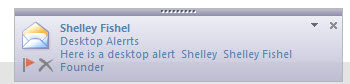
When working we can be easily distracted. Here is how to switch off desktop alerts and sounds so that your email does not interrupt you. These instructions work for Outlook 2010 and Outlook 2013 A desktop alert is a little semitransparent box that floats on to the bottom right of your screen whenever an email […]

Read More
Paul Wherly

Uploading Photos to Dropbox Automatically

Category: IT Training Blog

A while ago I wrote a blog about using Dropbox to synchronise your documents between machines and on the web. Recently I was talking with a personal trainer I know  who takes photos of her client’s successes. She then blogs and uploads the photos to Facebook. This is very time consuming she said, as she […]

Read More

Paul Wherly

How to be more productive in the office

Category: IT Training Blog

It’s a well-known fact that office workers have a tendency to procrastinate in the working environment. With so many distractions, it’s easy to allow your mind to wander in the workplace, ensuring even the most basic of administrative tasks take far longer than necessary. Whether you work alone at home, in a private office space, […]

Read More

Paul Wherly

The Modern Desktop

Category: IT Training Blog

So what is The Modern Desktop? The Modern Desktop experience is a variety of things. Flexible Personalised experience Secure Customisable Includes many choices As you can see from the picture The Modern Desktop can be accessed from a variety of devices and has the choice of Windows 7 or 8.  Security is built in and […]

Read More

Paul Wherly

Are you still running Windows XP?

Category: IT Training Blog

Did you know that support for Windows XP will stop on April 18 2014? That is not too far away in the realm of Computer System upgrades. In fact if you are thinking of an upgrade it is best to start planning around 18 months beforehand. One of the most compelling reasons I heard recently […]

Read More

Paul Wherly

New Apps in Outlook 2013 – Schedule a Meeting

Category: Tips for Windows Users

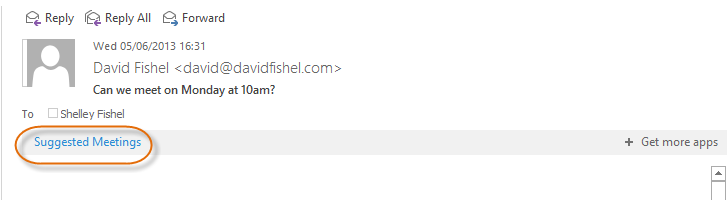
Apps in Outlook 2013 work by recognizing phrases in your email and suggesting shortcut actions. For example if your colleague or friend sends you an email suggesting a meeting, Outlook will now suggest that it has found a possible meeting and allow you to create it directly from the incoming email. Neat! In the image […]

Read More

Contact us

Would you like to talk through your IT Training needs?
Just send through your details and we'll get back to you.

More